One of the advantages of EOS-1D X is its highly customizability, in Firmware 2.0.3, Canon brings further customization to commonly used function after listening to the comment from professional photographers.
More customization for both AF-ON and AE Lock buttons
Four detailed settings are now added when assigning [Metering and AF Start] to [AF-ON] button or [AE lock] button. Users can customize these 2 buttons as hotkeys or shortcuts to instantly switch/activate the camera’s AF behaviors depending on the change of scene or subject movement.
Four detailed settings are now added when assigning [Metering and AF Start] 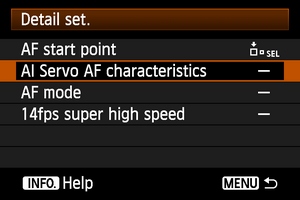 |
Overview of 4 detailed settings |
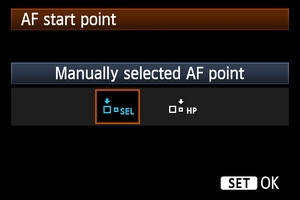
AF Start Point
You can set to switch to the registered AF point or remain at current AF point when
<AF-On>
or
<AEL>
button is pressed.
 |
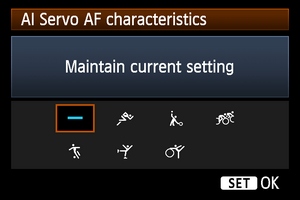
AI Servo AF Characteristics
You can customize to switch instantly the Cases in AF configutaion tool. For exmaple, switch from Case 2 to Case 4 when button is pressed to accommodate the change of subject characteristics.
 |
AF Mode
You can set to swtich from One Shot AF to AI Servo AF immediately.
p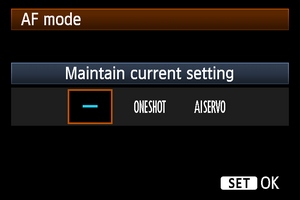
|
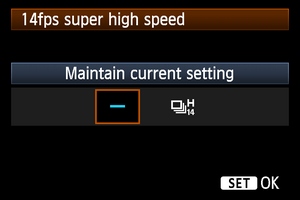
14fps super high speed
Switch from “High Speed Continuous Shooting” to “14fps Super High Speed Shooting” by pressing the [AF-ON] or [AEL] button.
 |
|
Instant switch between One Shot AF and AI Servo AF
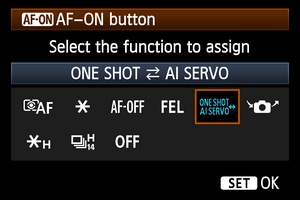
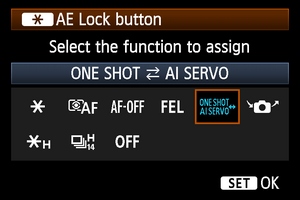
In the past, you can only use buttons at the front of camera (e.g., the button) to switch between One Shot AF and AI Servo AF. New [One shot <> AI Servo] option is added in the new firmware to the Custom Control of both button and button (both buttons on the back) for more convenient and instant switching between One shot AF and AI Servo AF.
[AF-ON] button assignable functions
|
[AE Lock] button assignable functions
 |
|
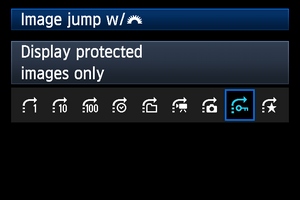
New [Display Protected Images Only] option
New [Display Protected Images Only] option is added to both [Image Jump with Main Dial] and [Slide Show] playback settings. This can be useful to show a client only those photos that haves been protected, but not the others (such as those unsuccessful ones) that you don’t want to show and avoid embarrassing moments.
|
New [Display Protected Images Only] option"
 |
|
You can download the EOS-1D X firmware 2.0.3 here
Windows System: http://support-hk.canon-asia.com/contents/HK/EN/0400115902.html
MacOS: http://support-hk.canon-asia.com/contents/HK/EN/0400116002.html


